Holes, threads & coils
The Hole tool drills standard fastener holes; Thread cuts real or cosmetic threads; Coil builds springs and helixes.
Don't sketch circles for fastener holes — the wizard knows the standards.
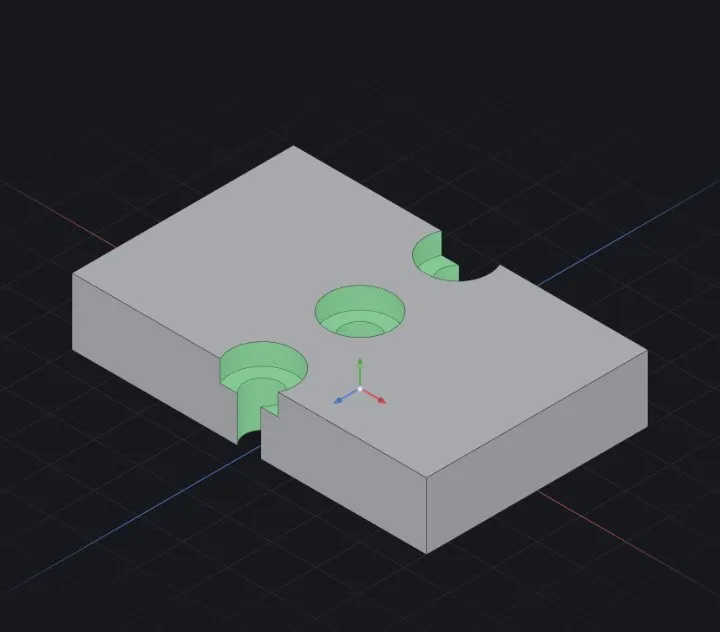
Hole tool
- Place centres first: a sketch of points on the target face (Reference geometry (planes, axes, points)) — or just pick the face and position one hole.
- Choose the type: simple drilled, counterbore (socket-head cap screws sit flush) or countersink (flat-head screws).
- Pick a standard and size — ISO, DIN, JIS or ANSI tables fill the diameters for you (e.g. an M5 counterbore gets the right pilot, bore and depth).
- End condition: a set depth, Through All, or up-to a face — same rules as an extrude cut.
One wizard feature drives all the centres in its sketch — edit the size once, every hole updates. Patterning works too (Patterns & Mirror).
Thread
- Cosmetic thread — the manufacturing-standard choice: a lightweight callout marks the thread; drawings annotate it; geometry stays simple and fast.
- Real thread — cuts the actual V-groove helix (3D printing, renders, sims). Heavier to rebuild; use it only where the geometry matters.
- Tapered variants cover pipe-style threads.
Coil
A helix from radius + pitch + turns — springs, worms, stirring paddles. Combine with a swept profile for round-wire springs (Sweep).
When it fails
- The hole misses the body — the centre sketch isn't on (or projected onto) the target face.
- Real thread is slow on many holes — switch all but the critical ones to cosmetic.
Related: Extrude (boss & cut) · Patterns & Mirror · 2D drawings