Sheet metal
Model bent-metal parts that unfold to a manufacturable flat pattern — and export it as DXF.
Sheet-metal parts are solids with a constant thickness and real bends — so the part can unfold into the flat blank a laser cutter or press brake needs.
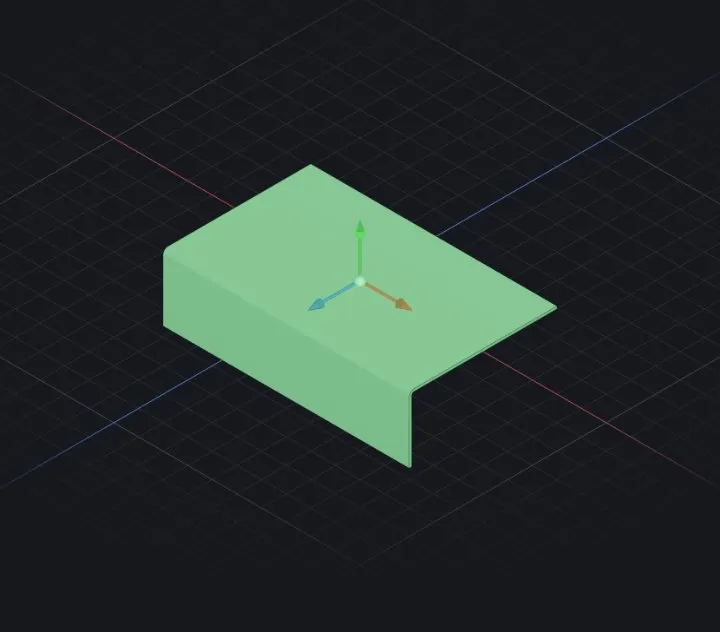
Building
- Base Flange — sketch the outline (closed → a flat plate; an open L/U-profile → bent walls), set thickness and the bend radius.
- Edge Flange — pick a straight edge, set length and angle; the bend and its relief are added for you.
- Extend with: Miter Flange (a run of edges), Hem (folded-over safety edge), Jog (Z-step), Sketched Bend (bend along a drawn line), Tab and Tab & Slot for self-locating joints.
- Cut holes and openings with a normal cut — it cuts normal to the sheet, and a Vent builds louvred openings in one step.
Stiffening & forming
- Gusset — a stiffening web pressed across a bend, so the corner keeps its angle under load.
- Forming Tool — a punch-and-die stamp: louver, rib, emboss or dimple. The gauge is preserved, so the part still flattens.
- Cross-Break — the diagonal stiffening creases on a large flat panel. Purely cosmetic: it draws the creases and the mass does not change.
- Wrap — project a sketch onto a face and emboss or deboss it there, following the curvature.
Shaping walls & corners
- Lofted Bend — a sheet transition between two different profiles, the round-to-square transition duct being the classic.
- Flange Profile — reshape an existing flange by sketching the contour you want on its own face, turning a straight wall into a tapered one.
- Corner Treatment — closed, welded, break or corner-relief where two flanges meet.
- Unfold / Fold — straighten one bend, cut or work across the flat, then fold it back. A true inverse pair: the mass round-trips.
Flatten & export
- Flatten toggles the flat-pattern preview — every bend unfolded using the bend allowance (K-factor) so lengths are production-true.
- Export ▾ ▸ Flat pattern DXF in the top bar (
⌘/Ctrl E) writes that blank with its bend lines, for the laser or waterjet (Saving, opening & exporting).
Converting an existing solid
Convert to Sheet Metal takes a thin-walled solid, you pick the fixed face and rip edges, and it becomes bendable.
Checking manufacturability
Check (DFM) reviews the part against fabrication rules — bend radii against gauge, holes and cutouts too close to a bend, reliefs too small — and reports what a fabricator would query. It is advisory: it flags, it never blocks.
When it fails
- Flange overlaps its neighbour — shorten one flange or add a corner treatment.
- Flatten refuses — some faces aren't part of the bend model (e.g. a cross-sheet boss); suppress the offending feature, flatten, export, then unsuppress.
Related: Extrude (boss & cut) · 2D drawings · Import a DXF profile