Direct editing (Move, Scale, Delete Face)
Edit geometry that already exists — shift or copy a body, scale it, delete a face and heal the gap, push a face along its normal, or imprint a split line.
Most features grow from a sketch. These five do not — they act on geometry that is already there, which makes them the tools for imported parts, quick fixes, and preparing a face for some other feature. All five live in the Combine ▾ flyout on the Solid tab, and each one still lands in the tree as a proper feature: recorded, re-orderable, undoable.
Move/Copy
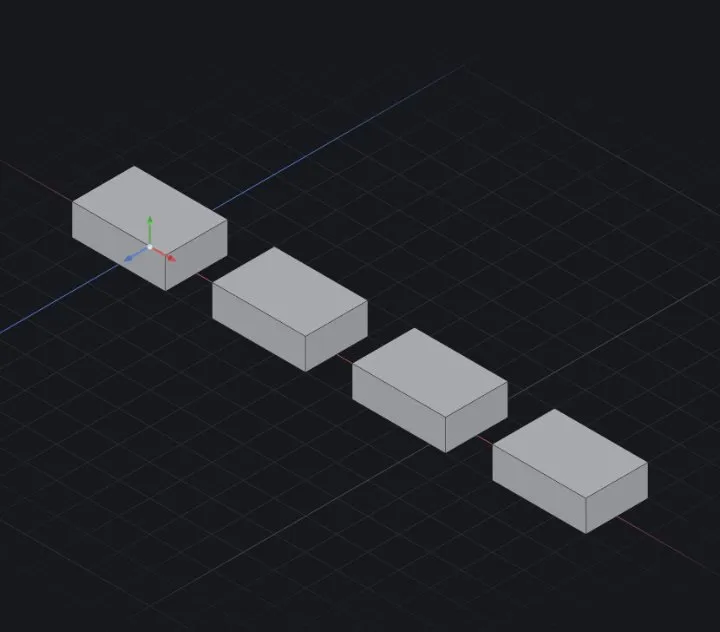
Rigidly repositions one body. Set ΔX / ΔY / ΔZ to translate, and optionally a rotate axis (X, Y or Z) with an angle. Copies decides what you end up with:
0— the body itself moves.N— the original stays put and N transformed copies are placed, each a further step along the same translation and rotation.
Scale
A uniform factor, or tick per-axis for separate ×X / ×Y / ×Z. Scaling is about the body's centroid unless you tick About origin.
Worth knowing: a scaled body no longer measures what its dimensions say. Use it for a shrink allowance or a quick study — to change a size for real, edit the dimension.
Delete Face
Pick faces; they are removed and the surrounding faces extend to close the gap (Delete-and-Patch). Delete a fillet's face and the sharp corner comes back; delete a boss's faces and the boss is gone. It is the quickest way to strip detail from an imported solid (STEP import).
Move Face
Pick planar faces and give a signed offset: positive pushes each face out along its normal, negative pulls it in. This is press-pull — deepen a pocket or raise a pad without opening the sketch that made it.
Split Line
Projects a sketch chain through the body, dividing every face it crosses into regions. The volume does not change, so at first glance nothing happened — the point is what becomes possible next: Draft, Move Face or a separate appearance can now grab one region instead of the whole face. Leave Faces to split empty to imprint every crossed face, or name the ones you want.
When it fails
- "nothing was deleted — the picked faces could not be removed" — the neighbours cannot extend into a clean patch. Try fewer faces at once, or remove the shape with a cut instead.
- "the healed body is not a clean solid — delete fewer faces at once" — same cause, caught one step later; delete in smaller batches.
- "nothing was imprinted — the sketch does not cross any face of the body" — the Split Line sketch misses the body when projected. Check the sketch plane and that the chain spans the face.
- "the moved body is not a clean solid — reduce the offset or move fewer faces" — the offset drove faces through each other. Only planar faces move in this version; a cylindrical or blended face is left alone.
Related: Combine, Split & Intersect · STEP import · Working with the feature tree