Surface modeling
Build zero-thickness faces when solids are too rigid — then knit, thicken or cut with them.
Surfaces are zero-thickness geometry: freer than solids, perfect for curvy outer skins, parting faces and repairs. The Surfaces tab mirrors the solid features:
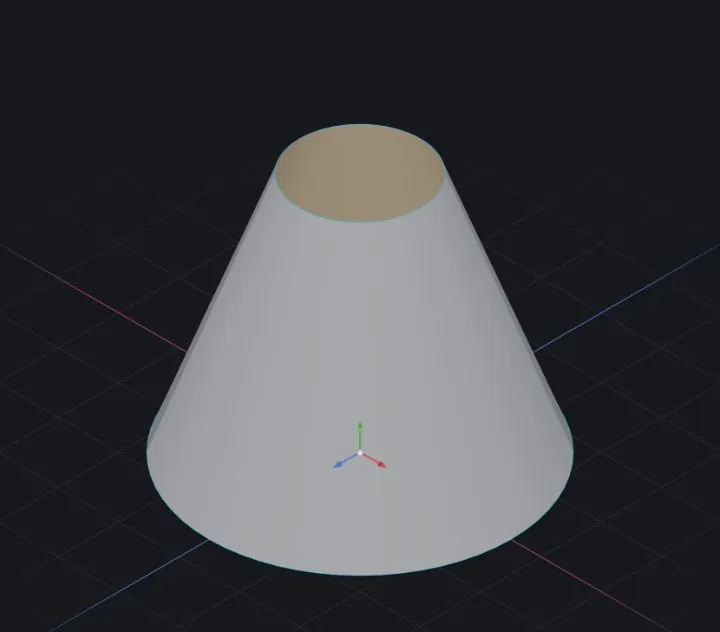
- Extrude / Revolve / Loft / Sweep Surface — the familiar four, minus the cap faces.
- Planar Surface — fill a flat closed sketch (or a flat hole).
- Fill — patch a hole with a face matching G0/G1 continuity to its neighbours.
Reshaping a surface
- Offset — a parallel copy at a distance, the way a thick skin is derived from a thin one.
- Ruled — straight strips run off a model's edges, for parting surfaces and draft checks.
- Extend — extrapolate a sheet past its current boundary on the sides you choose, so two surfaces reach far enough to trim against each other.
- Trim — cut a sheet with a sketch or another surface, then tick which pieces to keep. Trimming curves must be open chains.
- Untrim — the inverse: fill interior holes back in, or push the boundary out past an earlier trim.
From surfaces back to solids
- Knit — sew touching surfaces into one; a fully closed knit can become a solid.
- Thicken — give a surface real wall thickness (one side, both sides).
- Cut with Surface — slice a solid using a surface as the knife.
- Thickened Cut — the same, removing a shell of material.
- Replace Face — swap a solid's face for a surface you sculpted, over the same boundary.
- Mid-Surface — extract the neutral sheet between two walls (FEA prep).
Typical flow
- Loft or sweep the outer skin as a surface.
- Trim surfaces against each other; Fill any remaining holes.
- Knit everything; Thicken — now it's a solid and ordinary features apply.
Checking quality
Zebra stripes (display modes ) paint the model with mirror lines — kinks in the stripes reveal tangency breaks the shaded view hides.
When it fails
- Knit leaves a gap — edges must actually touch; extend or trim first.
- Thicken fails on tight curvature — the offset self-intersects; use a thinner wall or ease the radius.
Related: Revolve, Sweep & Loft · Extrude (boss & cut)